Back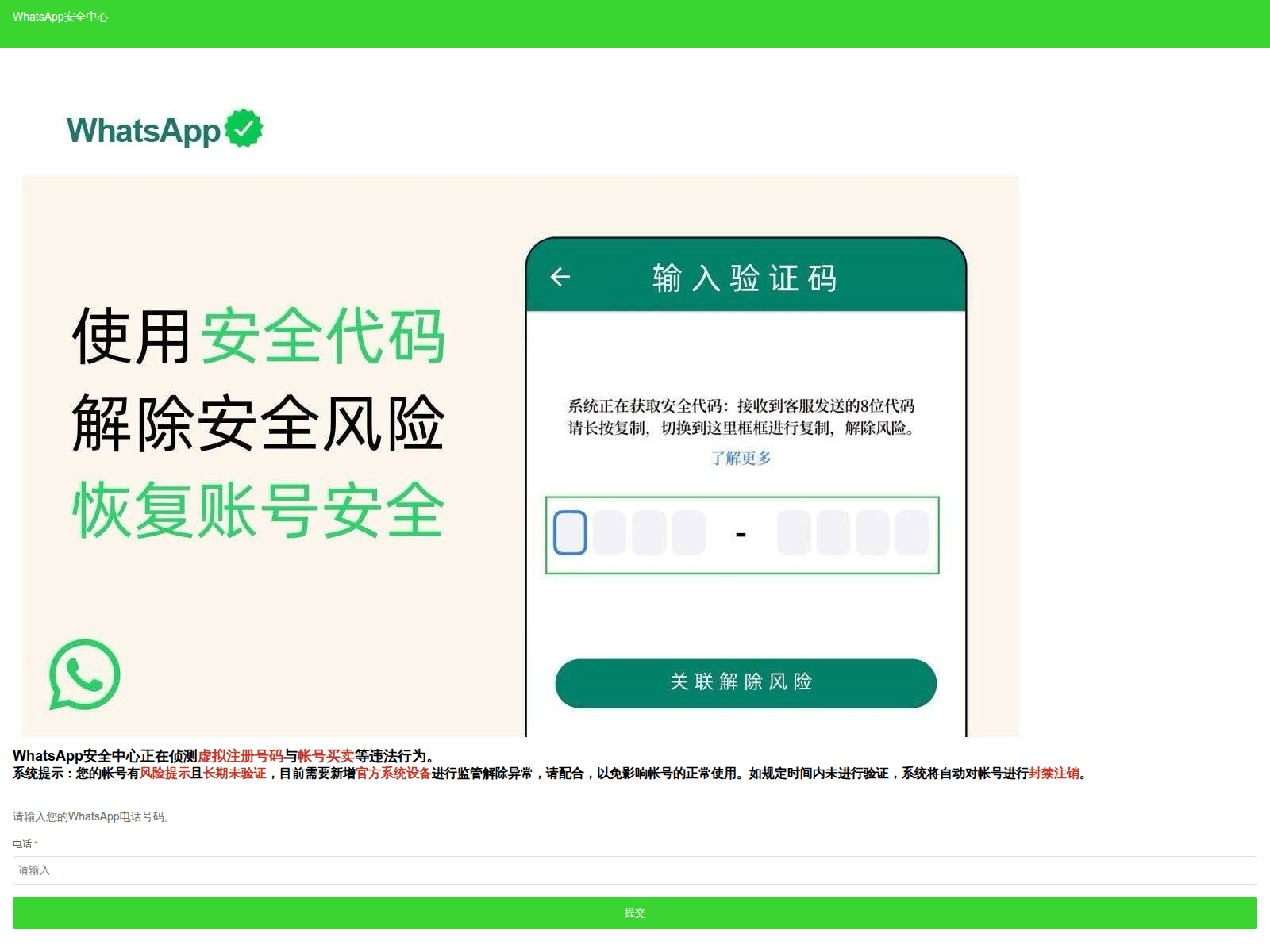
Tap to zoom
WhatsApp Impersonation Scams: Stay Vigilant!
whatxsspp.org
whatxtcspp.net
whatssapp-sg.cn
We have observed a recent increase in scams impersonating WhatsApp. Scammers are using fake websites to trick users into divulging personal information or downloading malicious software.
Here's how to recognise these scams:
- Suspicious URLs: Be wary of website addresses that are slightly different from the official WhatsApp website (whatsapp.com). Scammers often use URLs with misspellings or unusual domain extensions like
.org,.netor.cn. - Unexpected Requests: Be cautious of any website asking for your personal information (e.g., phone number, verification codes) to 'verify' your WhatsApp account or offer exclusive features.
What to do if you are affected:
- Immediately stop interacting with the website.
- If you have provided any personal information or downloaded anything from the site, run a virus scan on your device and change your passwords immediately.
- Report the scam website to the police and WhatsApp.
Remember, I can ACT against scams!
- Add security features: Enable two-factor authentication on your WhatsApp account.
- Check for scam signs and verify with official sources: Always access WhatsApp through the official app or website (whatsapp.com).
- Tell authorities, family, and friends about scams: Share this advisory to help protect others.
Unsure if something is a scam? Check by calling the 24/7 ScamShield Helpline at 1799.