Latest Scam Trends

Scam Alert: Phishing Websites Impersonating UOB Kay Hian
uobkhs.com
The Singapore Police Force observes a trend of phishing scams involving fake websites impersonating UOB Kay Hian. These scam sites, such as 'uobkhs.com', are designed to trick victims into revealing their personal and login information, often for investment or trading accounts.
How to recognise these scams:
- Check the URL carefully: Scammers create websites with URLs that are very similar to the official UOB Kay Hian website, often with slight misspellings or extra characters. Always verify the full URL in your browser's address bar.
- Be wary of unsolicited links: Exercise caution with links received via SMS, email, or social media that claim to be from UOB Kay Hian, especially if they prompt you to log in or update your details. Always access official websites by typing the URL directly into your browser.
What to do if you are affected:
If you suspect you have entered your details on a scam website:
- Immediately change your passwords for your UOB Kay Hian account and any other online accounts that share the same password.
- Contact UOB Kay Hian directly through their official customer service channels to report the incident and seek assistance. Do not use contact details provided on the suspicious website.
- Report the incident to the police.
Unsure if something is a scam? Check by calling the 24/7 ScamShield Helpline at 1799.
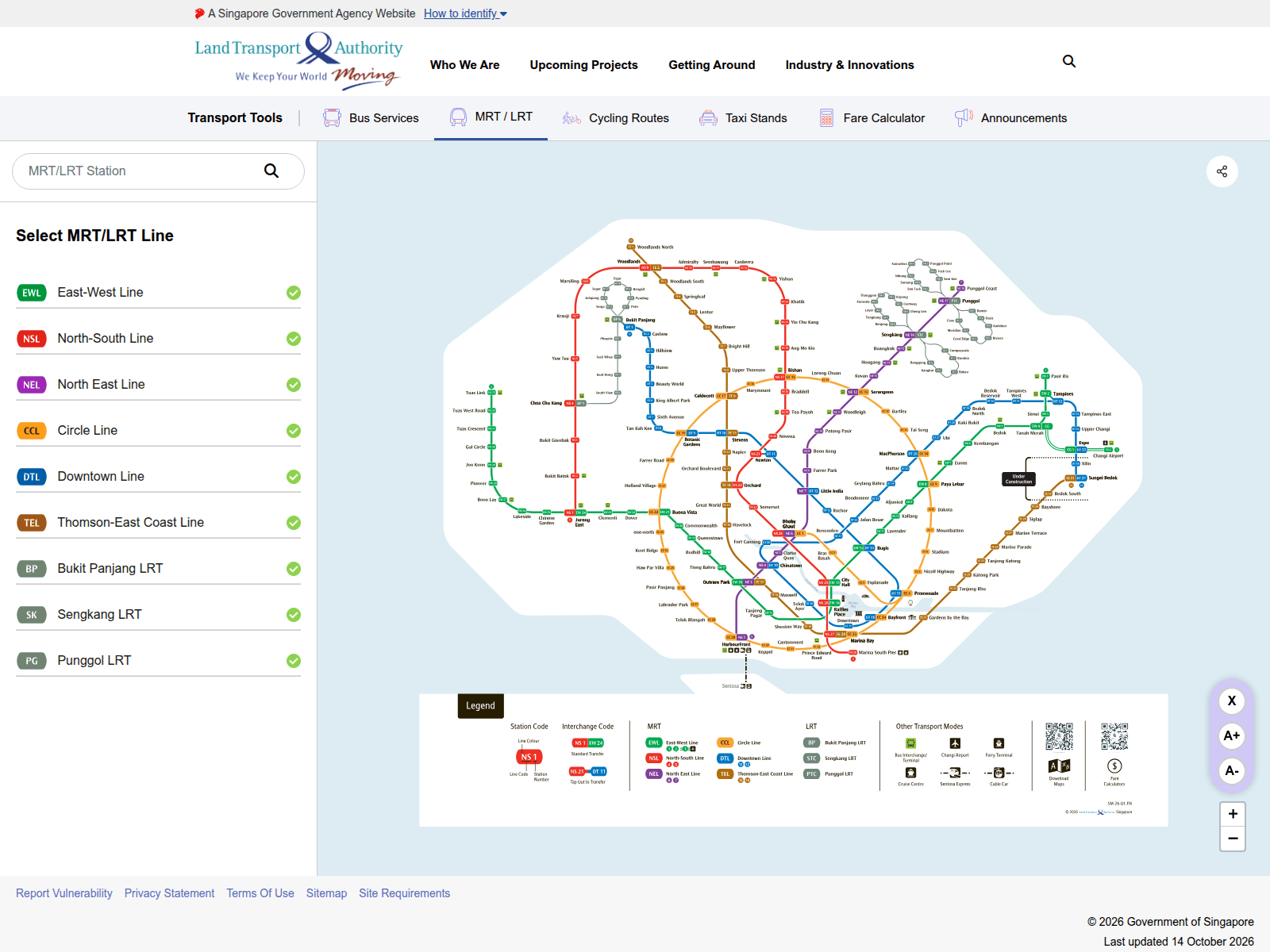
Advisory: Beware of Fake LTA Websites Impersonating Land Transport Authority
pajy.apppy.cc
The Singapore Police Force has observed a trend of scam websites impersonating the Land Transport Authority (LTA). These scam sites aim to trick you into revealing personal information or making fraudulent payments, often by mimicking official LTA services or notifications.
How to recognise these scams:
- Check the website address (URL): Always verify the URL. Official Land Transport Authority (LTA) websites consistently end with
lta.gov.sg. Scam sites often use suspicious or unfamiliar domains likepajy.apppy.ccor similar non-official addresses. - Be wary of unexpected messages: Exercise caution with unexpected SMS messages or emails purporting to be from LTA, especially if they ask for urgent action, personal details, or payments and include links. Always verify such requests through official LTA channels.
What to do if you were affected:
- Add security features: Immediately change your passwords for online banking, email, and any other accounts that might have been compromised. Enable Two-Factor Authentication (2FA) for added security.
- Contact your bank: Inform your bank immediately about the incident to monitor for any unauthorised transactions and take necessary steps to secure your accounts.
- Tell the authorities: Report the scam to the police.
Unsure if something is a scam? Check by calling the 24/7 ScamShield Helpline at 1799.
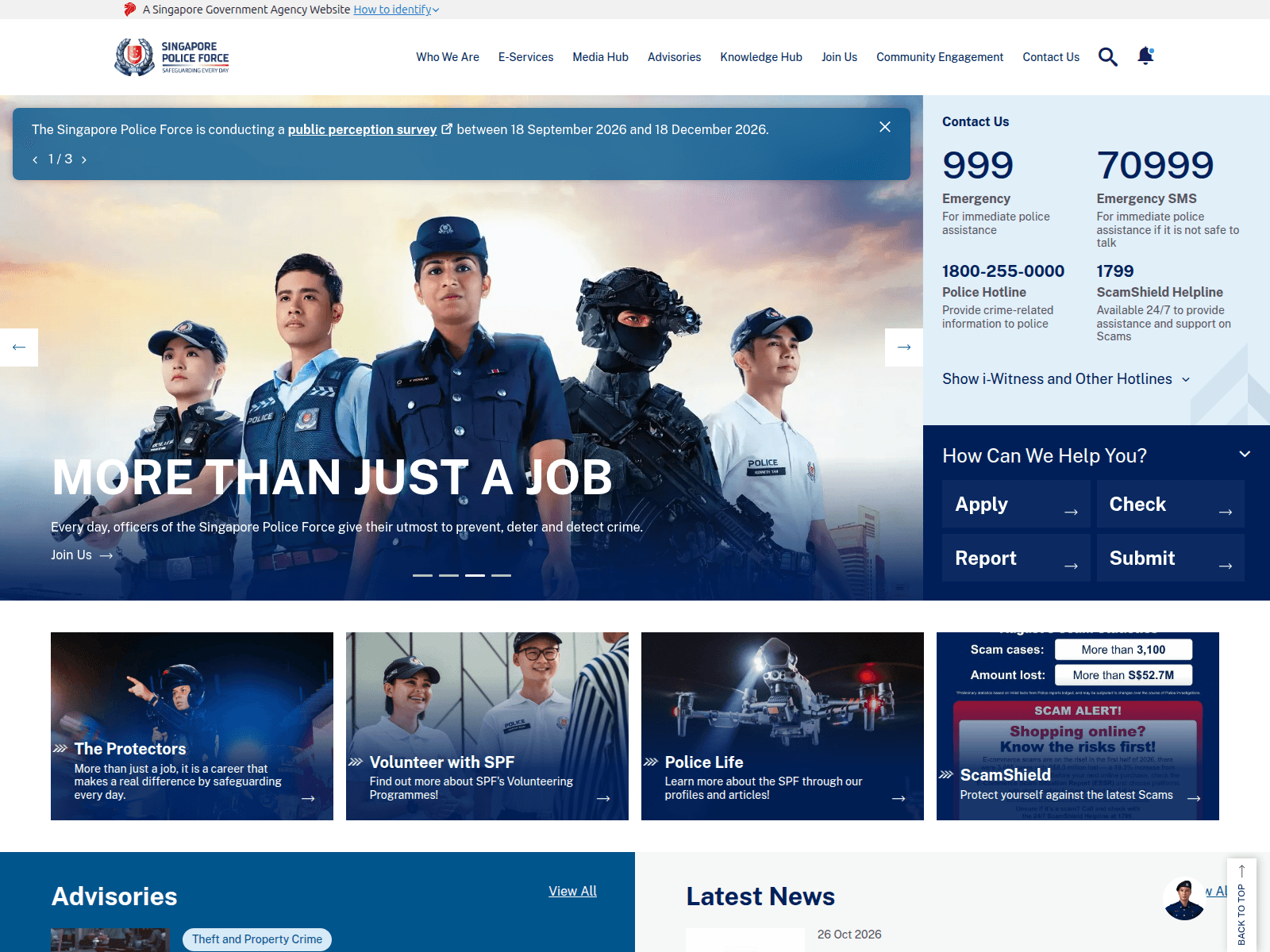
Alert: Fake SPF Websites Impersonating the Police
hare-fan8702.workers.dev
The Singapore Police Force has observed a trend of scam websites impersonating our official channels. These fraudulent sites, which have been reported over 110 times, aim to deceive members of the public into revealing personal information or making payments.
Here’s how to recognise these scams:
- Check the website address carefully. Official SPF websites will always use the domain
police.gov.sg(e.g.,www.police.gov.sg). Scammers use unofficial or slightly altered URLs, often with generic-sounding words or numbers, likehare-fan8702.workers.dev. - Be suspicious of unexpected messages or pop-ups claiming to be from SPF that demand immediate action, personal details, or payment for fines or investigations. SPF will never ask for your banking details or demand money transfers through unofficial means.
If you encounter such a website or suspect you’ve been affected:
- Add security features: Change your online banking and email passwords immediately. Enable Two-Factor Authentication (2FA) for all your accounts.
- Check for scam signs: Always verify any suspicious requests. Do not use contact details provided by the suspicious website.
- Tell authorities, family and friends: Report the incident to the Police at
www.police.gov.sg/iwitnessor call the Police Hotline at 1800-255-0000. Inform your bank immediately if you have provided any banking details or made a transaction.
Unsure if something is a scam? Check by calling the 24/7 ScamShield Helpline at 1799.
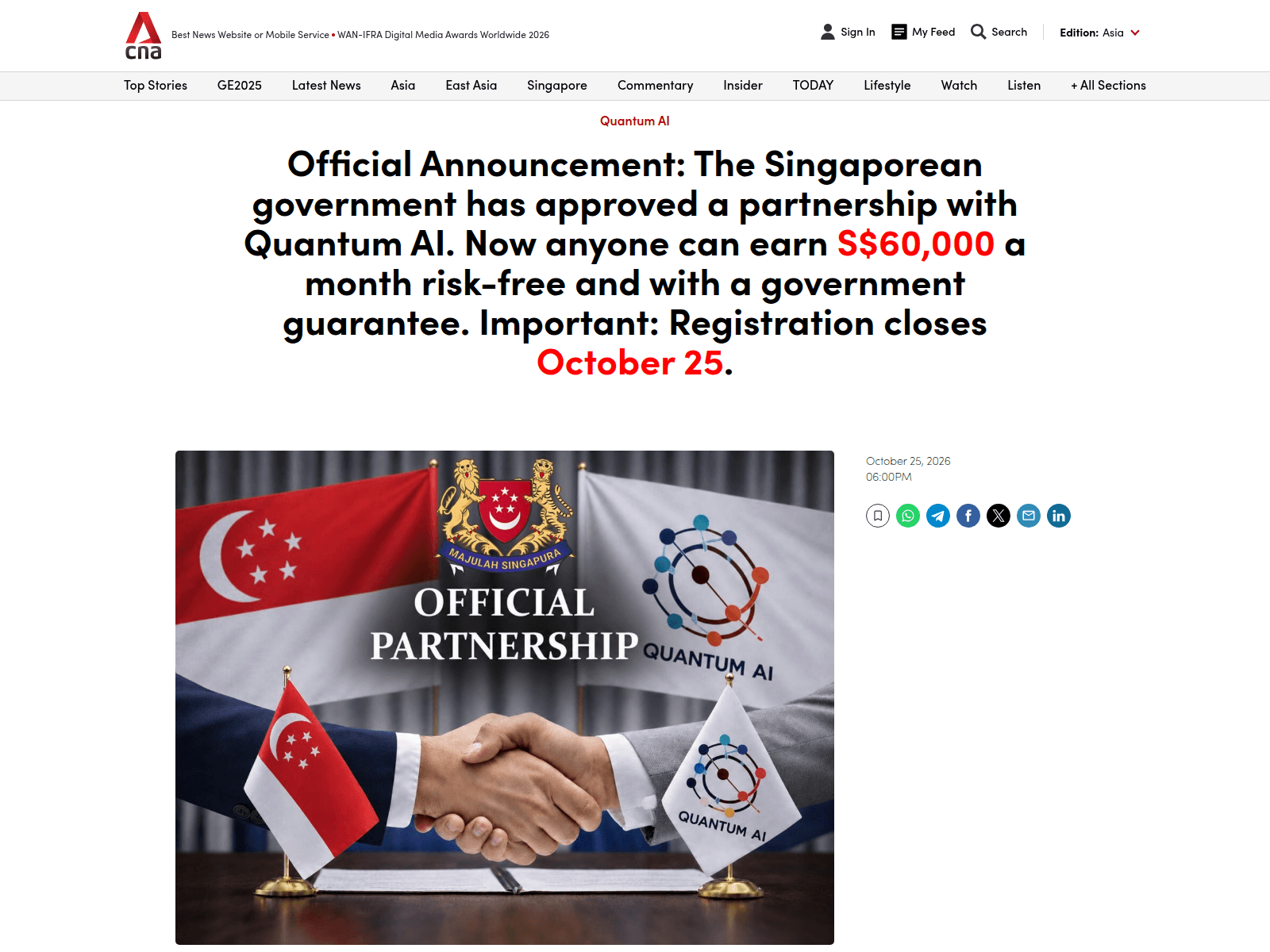
Advisory: Beware of Investment Scams Impersonating CNA
zenvaroe.com
avernovat.com
databaiouzuma.com
brenthevalepo.com
venoqai.com
shopboyarskiy.com
morniingowelecigom.com
arvenuklameza.com
freslivetirupigika.com
The Singapore Police Force has observed a recent surge in investment scams impersonating CNA. Scammers are using fake websites and advertisements bearing the CNA brand to trick victims into believing they are legitimate investment platforms. These fraudulent schemes often promise high returns with little to no risk, luring individuals into depositing money.
Here's how to recognise such scams:
- Suspicious Websites: Be cautious of investment opportunities promoted under the CNA brand on websites with unfamiliar or slightly altered URLs (e.g., zenvaroe.com, avernovat.com) that do not belong to CNA's official domains.
- Unsolicited Offers: Be wary of unsolicited messages, social media ads, or online posts promoting investment schemes that claim association with CNA, especially if they promise unusually high returns. Always verify the legitimacy of such offers directly with official CNA channels.
If you suspect you have encountered such a scam, or have already provided your personal or financial details:
- Stop All Communication: Cease all contact with the scammers immediately.
- Check and Verify: Before making any investment decisions, always verify the authenticity of investment opportunities with official sources. For CNA, check their official website or social media channels directly.
- Report to Authorities: Report the incident to the police immediately. If you have made any financial transactions, inform your bank to take necessary actions.
- Tell Others: Inform your family and friends about these scams to protect them.
Unsure if something is a scam? Check by calling the 24/7 ScamShield Helpline at 1799.
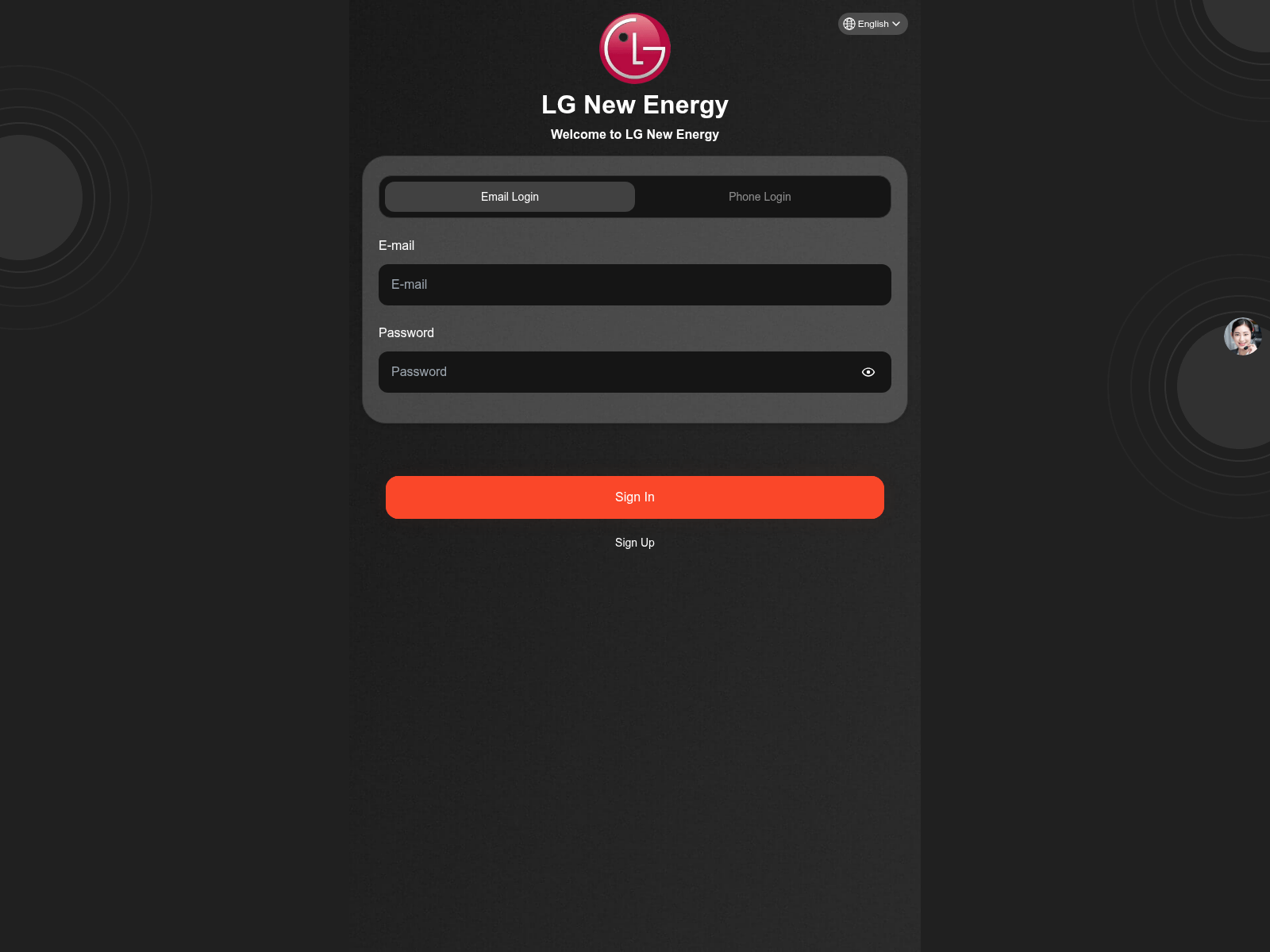
Advisory: Beware of Fake Investment Scams Impersonating LG
lgnewenergy.com
The Singapore Police Force has observed a trend of fake investment websites impersonating LG. These sites aim to trick individuals into believing they are investing in genuine opportunities, often promising high returns. One such reported site uses the URL lgnewenergy.com.
Here's how to recognise such scams:
- Scammers create fake investment websites or apps using names of reputable companies like LG, often with slightly altered or unofficial URLs (e.g.,
lgnewenergy.cominstead of official LG domains). - These scams promise unusually high returns in a short period with little to no risk, which is a common tactic to entice victims.
If you have provided your personal details, made payments, or suspect you have fallen victim to such a scam:
- Immediately stop all communication with the scammer and cease making any further payments.
- Notify your bank promptly to halt any transactions and secure your accounts.
- Report the incident to the police.
Unsure if something is a scam? Check by calling the 24/7 ScamShield Helpline at 1799.
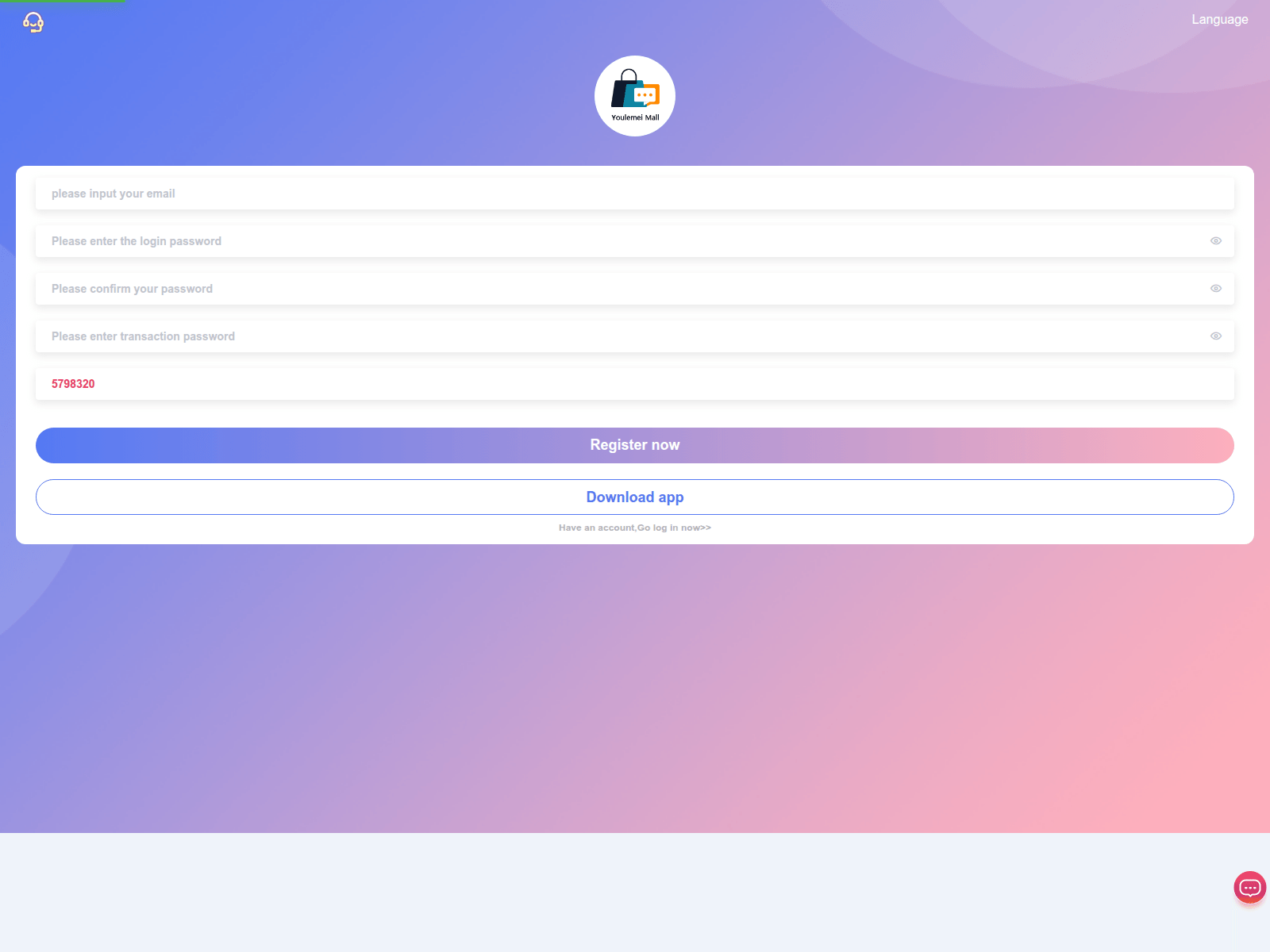
Public Advisory: Beware of Job Scams Impersonating 'Youlemei Mall'
youlemeimall.vip
The Singapore Police Force observes a recent trend of job scams, with several reports involving websites impersonating 'Youlemei Mall'. Scammers use these deceptive sites to trick individuals into fraudulent job opportunities.
Here's how to recognise these scams:
- You receive unsolicited job offers, often via messaging apps or social media, promising high commissions or easy money for simple tasks, such as 'boosting' sales or performing online reviews for 'Youlemei Mall'.
- These scam sites or messages may ask for your personal particulars, bank details, or require you to make upfront payments or 'investments' to secure the job or 'release' your earnings.
If you encounter such a scam or have been affected:
- Do not proceed with any payments or provide your personal banking information.
- Block the sender immediately and report the incident to the Police.
- Inform your bank immediately if you have provided any banking details or made any transfers.
Unsure if something is a scam? Check by calling the 24/7 ScamShield Helpline at 1799.
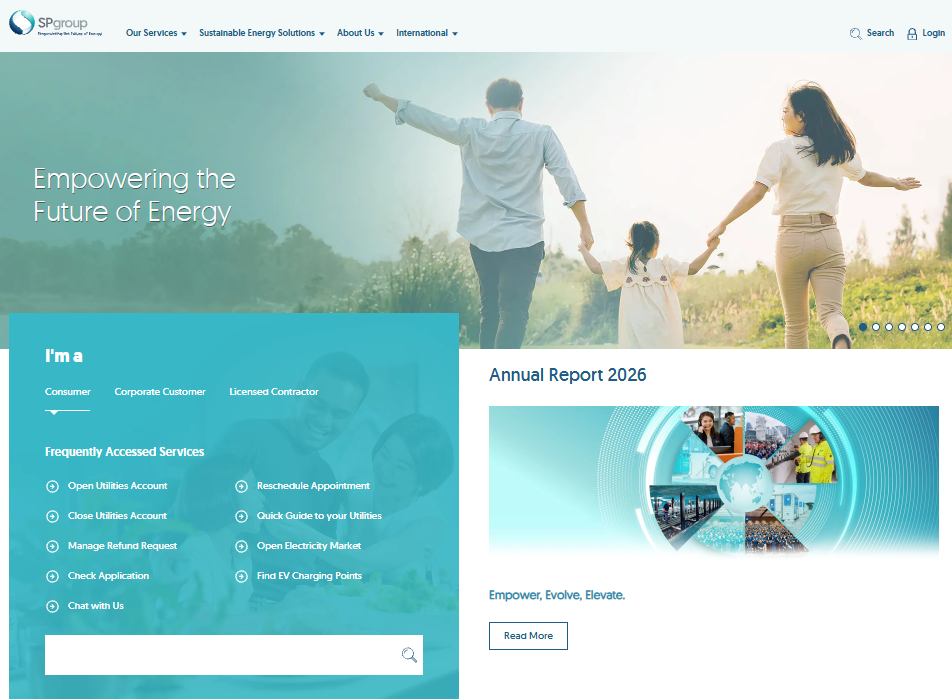
Beware of Phishing Scams Impersonating SP Group
samgirasg.com
The Singapore Police Force has observed a trend of phishing scams impersonating SP Group. Scammers create fake websites and send malicious messages (SMS or email) to trick the public into revealing their personal and banking information.
Here's how to recognise such scams:
- Be wary of messages claiming to be from SP Group that contain suspicious links, especially if they ask you to update account details, pay bills, or claim refunds.
- Always check the website address carefully. Official SP Group websites will use their legitimate domain (e.g.,
spgroup.com.sg), not variations or misspellings likesamgirasg.com.
If you suspect you have provided your personal or banking details on a scam website:
- Immediately contact your bank to report any unauthorised transactions and block your card or account.
- Change passwords for all affected online accounts.
- Report the incident to the Police.
Remember to ACT against scams:
- Add security features like two-factor authentication (2FA) for your online accounts.
- Check for scam signs and verify information with official SP Group sources directly.
- Tell authorities, family, and friends about scams to help protect them.
Unsure if something is a scam? Check by calling the 24/7 ScamShield Helpline at 1799.
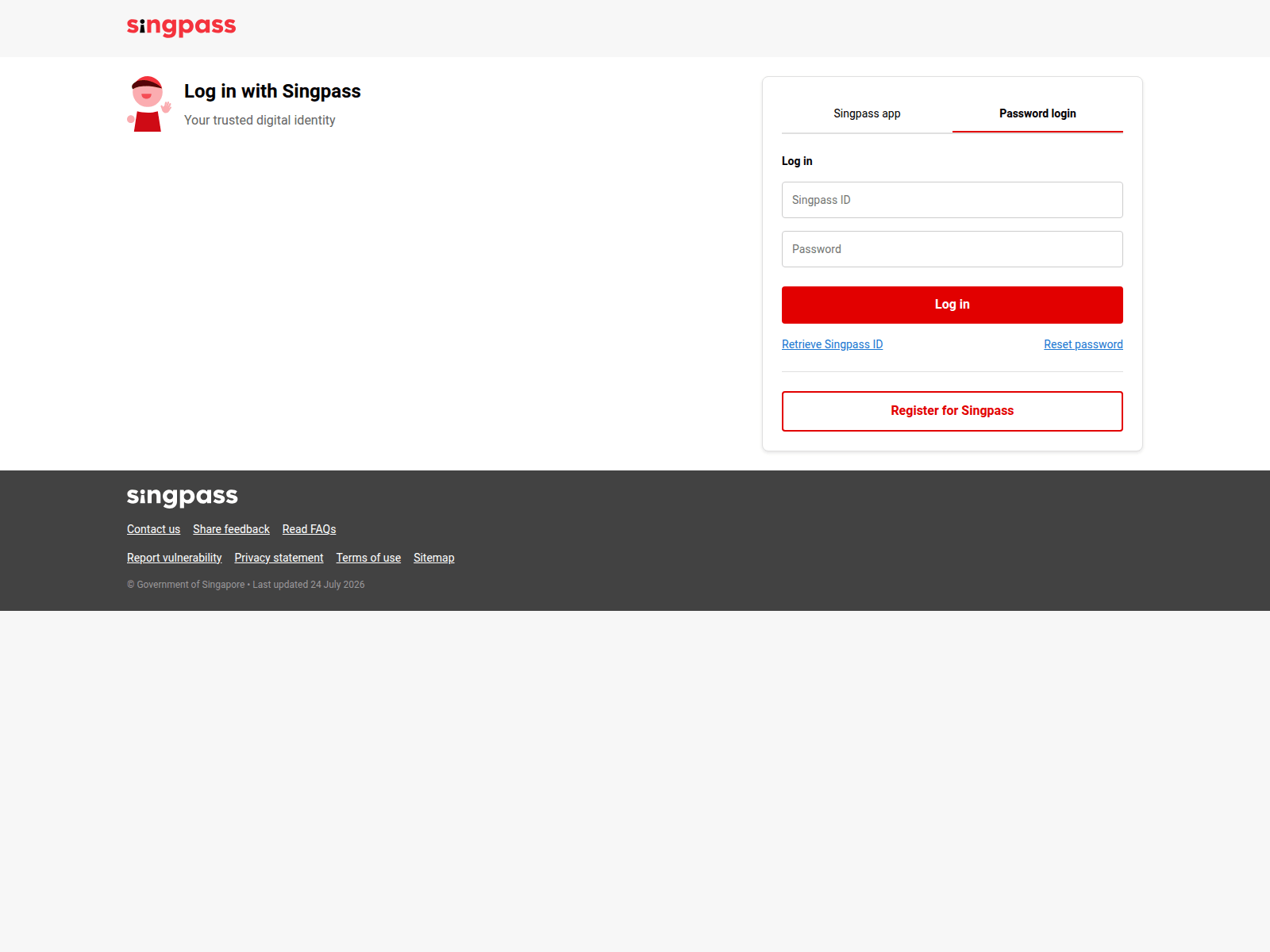
Advisory: Alert on Phishing Scams Impersonating Singpass
carolineporcellane.it
The Singapore Police Force has observed a recent trend of phishing websites impersonating Singpass. These fraudulent sites aim to trick you into revealing your Singpass login credentials.
Here's how to recognise such scams:
- Always check the website address carefully. Official Singpass services are hosted on domains ending with
.gov.sg(e.g.,singpass.gov.sg,mylife.gov.sg). Any other domain, likecarolineporcellane.it, is fake. - Be wary of unsolicited messages (SMS, email) or pop-ups that direct you to a link and ask for your Singpass login details. Singpass will never send you unsolicited links asking for your credentials.
If you have entered your Singpass ID and password on a suspicious website:
- Immediately change your Singpass password via the official Singpass website or app.
- Report the incident to the Police.
- Inform your family and friends about this scam to help them stay vigilant.
- Strengthen your Singpass security by enabling Singpass Face Verification and Two-Factor Authentication (2FA) if you haven't already.
Unsure if something is a scam? Check by calling the 24/7 ScamShield Helpline at 1799.