Back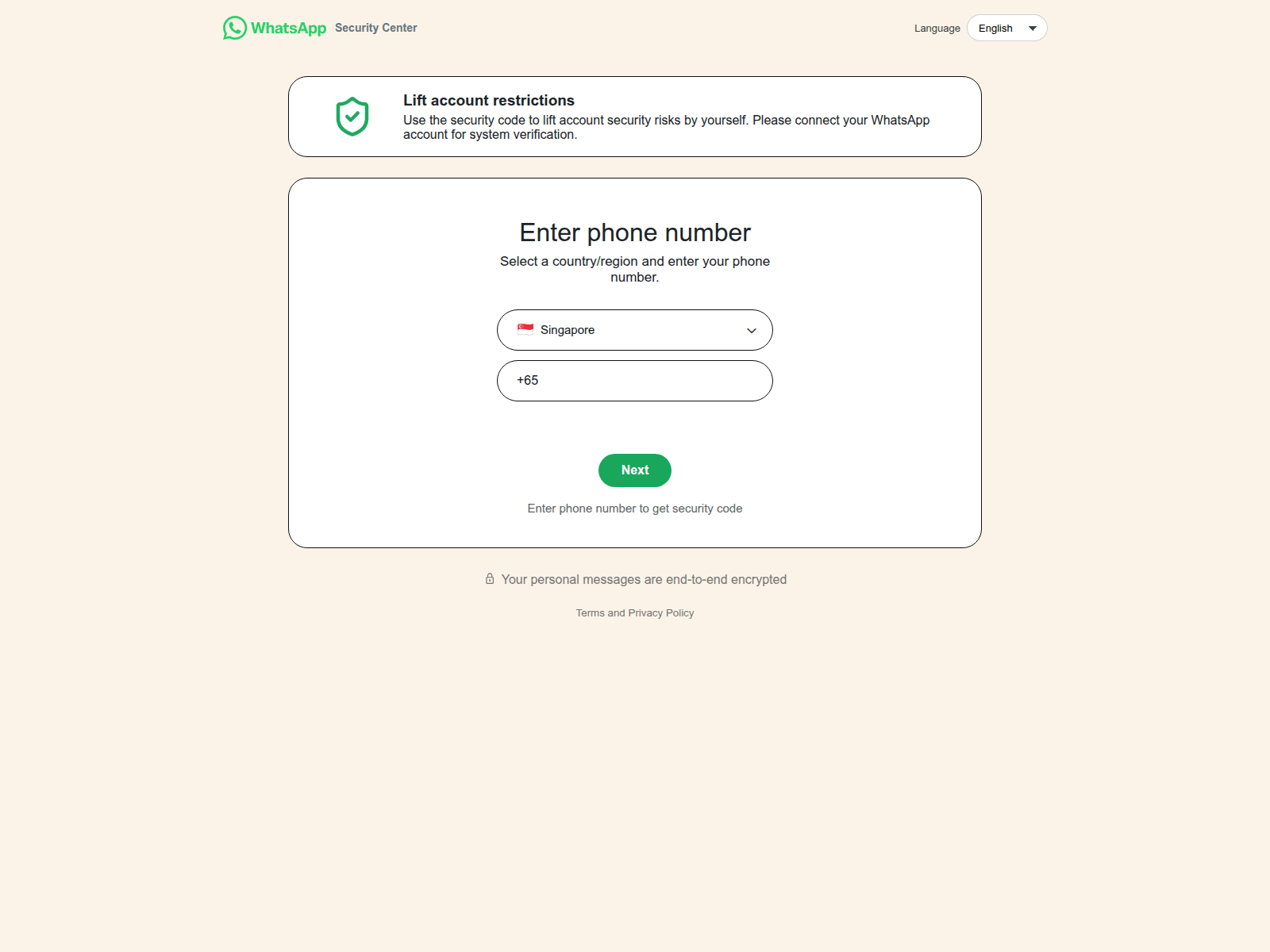
Tap to zoom
Advisory on WhatsApp Impersonation Scams
ws-whmalopp.lat
The Singapore Police Force has observed a recent trend of impersonation scams primarily conducted through WhatsApp. Scammers are exploiting the trust associated with familiar messaging platforms to trick individuals.
How to Recognise Such Scams:
- Be wary of any unexpected links received via WhatsApp, even from known contacts. Scammers use fake URLs (e.g.,
ws-whmalopp.lat) which do not belong to official WhatsApp sites, to trick you into revealing personal information or downloading malware. - Scammers often impersonate friends or family members, sending urgent requests for money, personal details, or asking you to click on suspicious links. Always verify such requests by calling the person directly on a known number or using a different, trusted communication channel.
What to Do If Affected:
If you believe you have fallen victim to such a scam:
- ACT by "Adding" Security Features: Immediately change your account passwords for WhatsApp and any other online accounts if you clicked on a suspicious link or provided your details. Enable Two-Step Verification for your WhatsApp account to enhance security.
- ACT by "Checking" for Scam Signs: If you have shared bank details or made a transaction, contact your bank immediately to halt any further transactions.
- ACT by "Telling" Authorities, Family and Friends: Report the incident to the Police and inform your family and friends about the scam to prevent them from falling victim.
Unsure if something is a scam? Check by calling the 24/7 ScamShield Helpline at 1799.