Back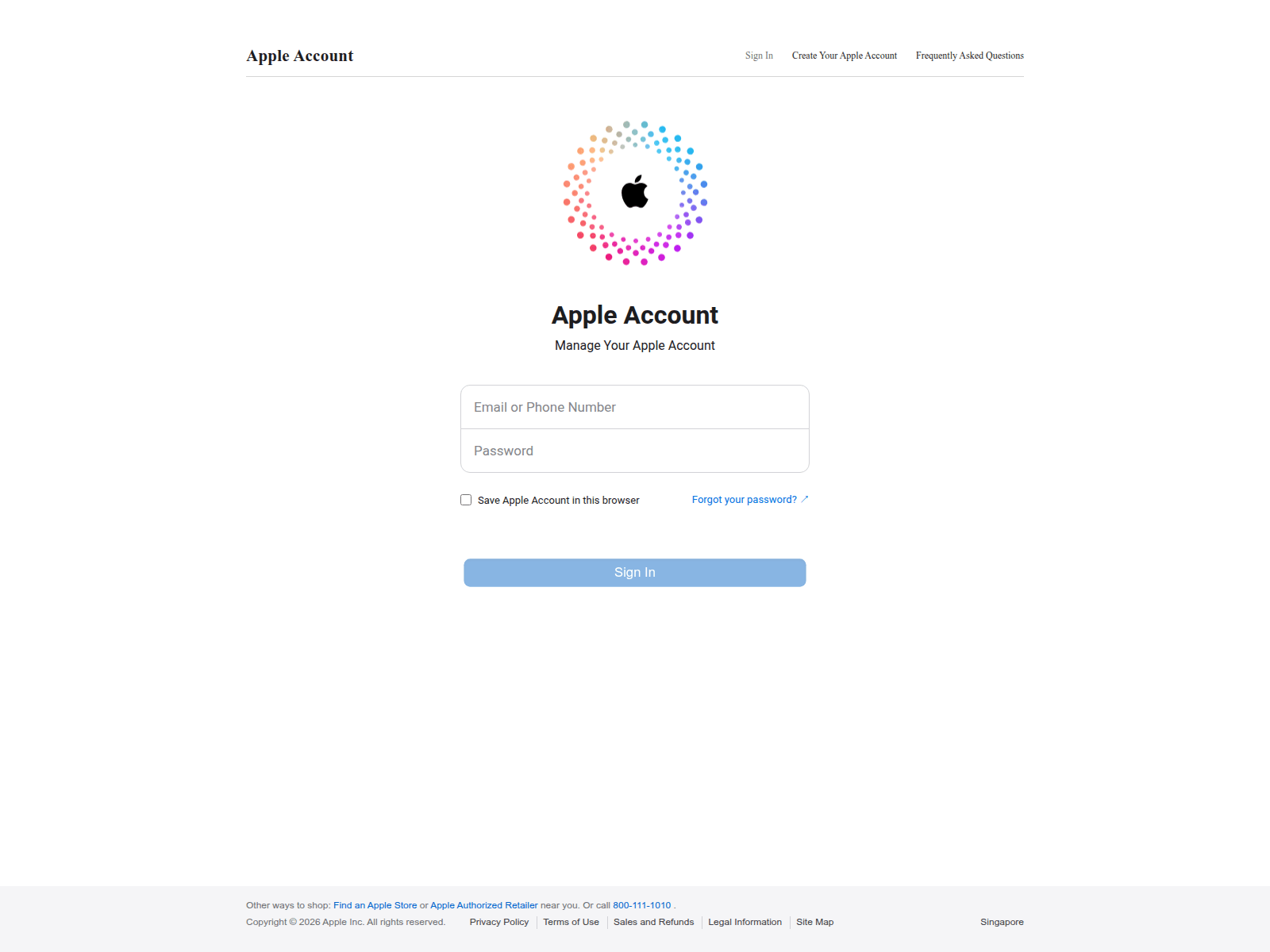
Tap to zoom
Advisory: Be Alert to Phishing Scams Impersonating Apple iCloud
icloud.qpon
The Singapore Police Force observes phishing attempts impersonating Apple iCloud services. These scams aim to trick you into revealing your Apple ID and password.
Here's how to recognise such scams:
- Look out for messages (SMS, email) or websites that ask for your Apple ID or iCloud password but come from unusual or unfamiliar website addresses. For example, a scam site might use a domain like "icloud.qpon" instead of official Apple websites.
- Be cautious of urgent requests or threats stating your Apple account is locked, suspended, or requires immediate verification, especially if they direct you to click on a link.
What to do if you encounter such scams:
- Adding security features: Always enable Two-Factor Authentication (2FA) for your Apple ID to protect your account, even if your password is stolen.
- Checking for scam signs: Verify the authenticity of any request by visiting Apple's official website directly (e.g., apple.com) or checking through the official Settings app on your Apple device, instead of clicking on links in suspicious messages.
- Telling authorities, family and friends: If you have clicked on a suspicious link and entered your details, immediately change your Apple ID password. Report the incident to Apple and inform your family and friends about the scam.
Unsure if something is a scam? Check by calling the 24/7 ScamShield Helpline at 1799.