Back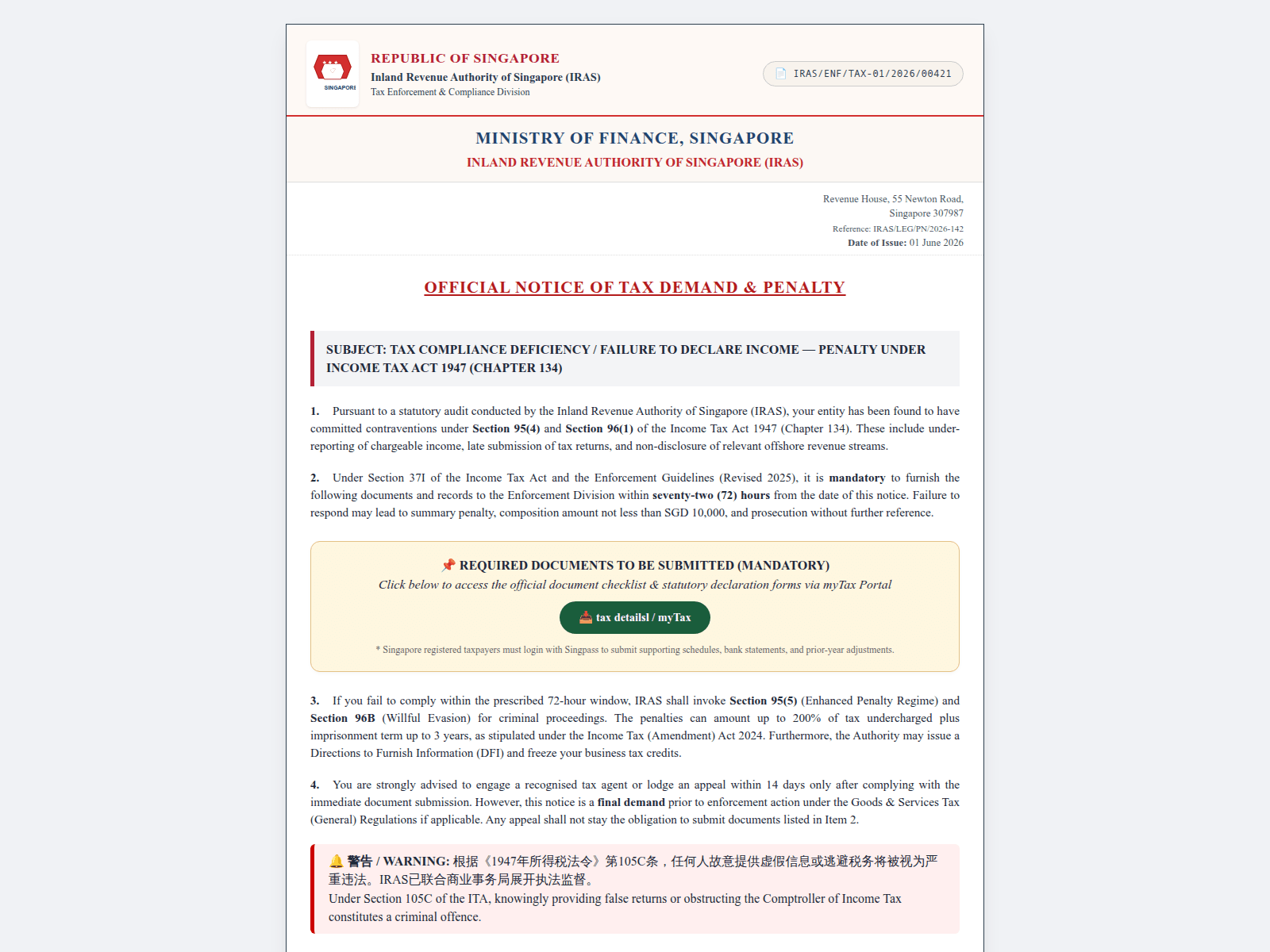
Tap to zoom
Advisory: Beware of Malware Scams Impersonating Government Agencies like IRAS
govment.cc
The Singapore Police Force (SPF) wishes to alert the public to an increase in scam websites impersonating government agencies, specifically the Inland Revenue Authority of Singapore (IRAS). These scam sites aim to trick you into downloading malware onto your devices.
How to recognise these scams:
- Check for scam signs: Always verify the website's address. Official government websites will always use the
.gov.sgdomain (e.g.,iras.gov.sg). Be suspicious of unusual domain names likegovment.cc. - Check for scam signs: Be wary of unexpected messages, emails, or pop-ups that ask you to download applications or click on unfamiliar links, especially if they claim to be from IRAS.
What to do if you encounter such a scam or are affected (I can ACT against scams):
- Adding security features: Do not click on suspicious links or download any files from unverified sources. Ensure your devices have updated antivirus software and strong passwords.
- Checking for scam signs: If you suspect your device has been compromised by malware, disconnect it from the internet immediately. Run a comprehensive antivirus scan.
- Telling authorities, family and friends: Change all important passwords (e.g., banking, email, social media) from a clean device. Report the incident to the police immediately. If your bank accounts or personal information were compromised, contact your bank to secure your accounts and monitor for unauthorised transactions. Inform your family and friends about this scam to prevent them from falling victim.
Unsure if something is a scam? Check by calling the 24/7 ScamShield Helpline at 1799.