Back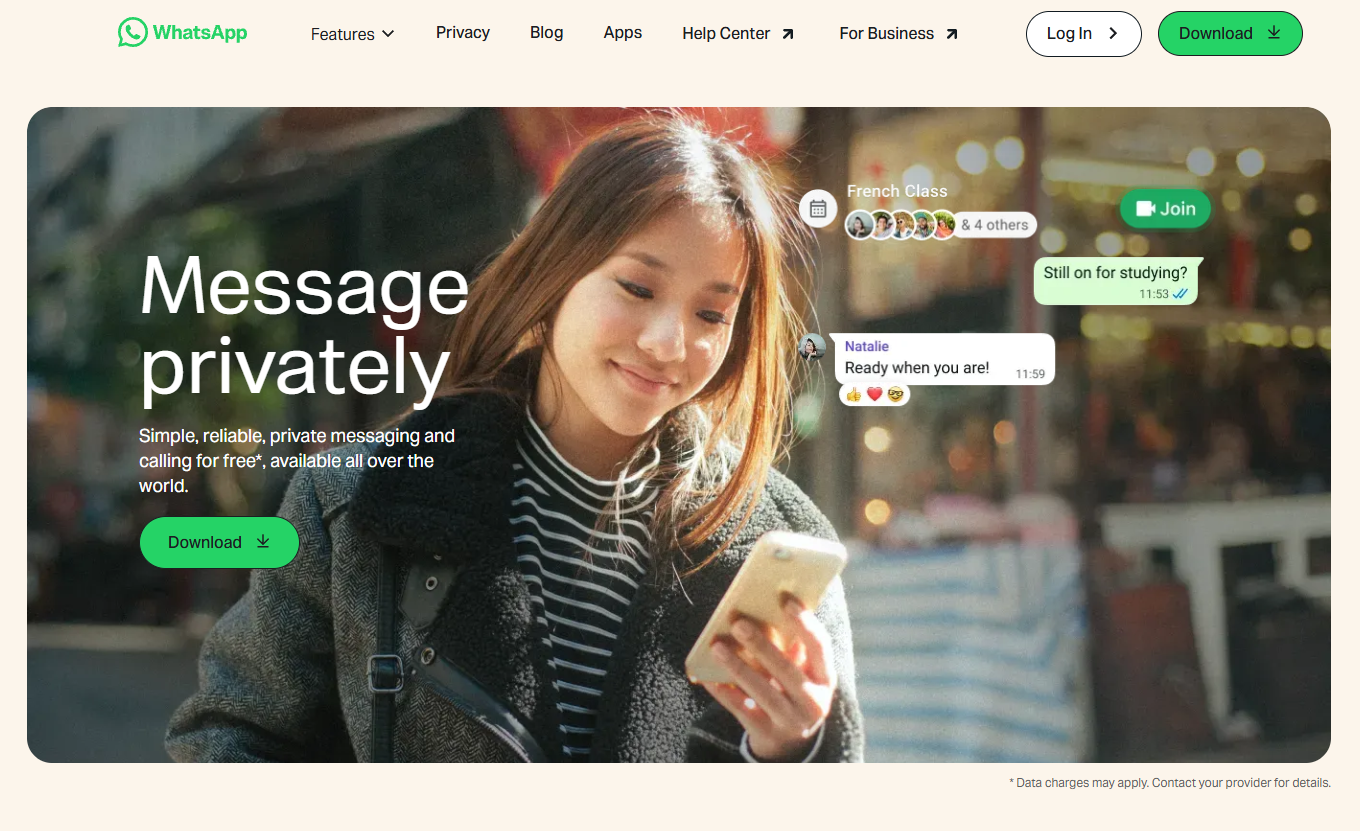

Tap to zoom
Advisory: Impersonation Scams Using Fake WhatsApp Websites
whasgapp.com
The Singapore Police Force has observed a trend of scam websites impersonating WhatsApp. These fraudulent sites aim to trick users into revealing personal information or downloading malicious software.
How to recognise these scams:
- Always scrutinise the website address. Genuine WhatsApp websites will always be
whatsapp.com. Scammers often use subtle misspellings or additional words in the URL (e.g.,whasgapp.com,whatsapp-update.com). - Be wary of unsolicited messages or pop-ups asking you to click a link to "verify" your account, "update" your app, or claim a prize. WhatsApp will not ask for sensitive information or updates through random links.
What to do if you encounter or are affected by such scams:
- Do not click on suspicious links. If you receive a message with a suspicious link, delete it immediately.
- If you have clicked a suspicious link and entered personal details (e.g., WhatsApp login details, banking information, or One-Time Passwords):
- "Adding" security features: Immediately change your passwords for WhatsApp and any other accounts that share the same password. Enable Two-Factor Authentication (2FA) on all your accounts for an extra layer of security.
- "Telling" authorities: Report the incident to the police. Contact your bank immediately if you have provided banking details or noticed any unauthorised transactions.
- Inform your family and friends about this scam to prevent them from falling victim.
Unsure if something is a scam? Check by calling the 24/7 ScamShield Helpline at 1799.