Back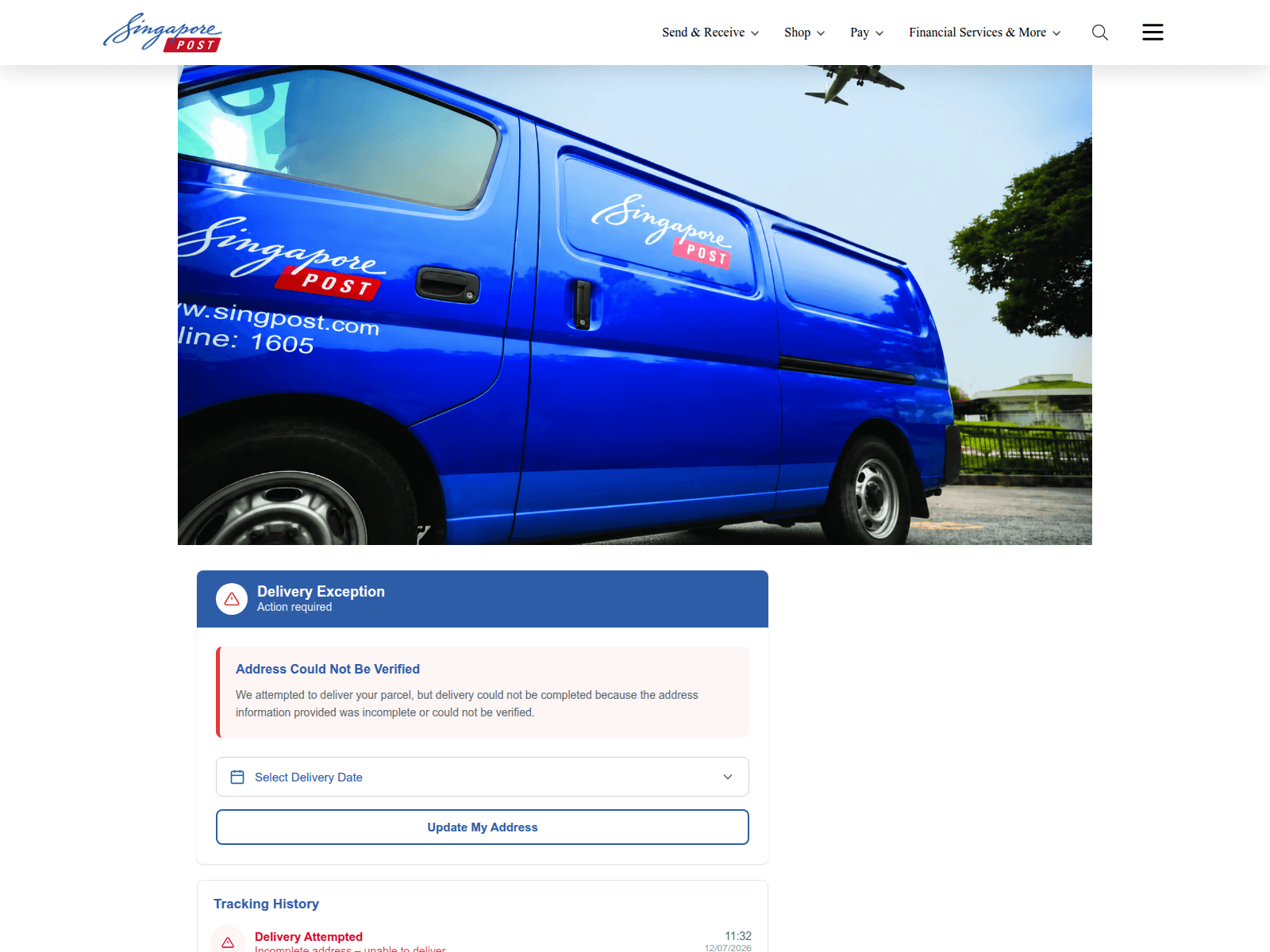
Tap to zoom
Advisory on Fake SingPost Websites and Phishing Scams
sgposeigt.sbs
The Singapore Police Force has observed a trend of phishing scams involving fake SingPost websites. Scammers create fraudulent sites designed to look like the official SingPost page to trick you into revealing personal or payment information.
Here’s how to recognise these scams:
- Check the Website Address: Always verify the URL in your browser. Official SingPost websites typically end with "singpost.com" or "singpost.com.sg". Scam sites often use slightly altered names or unusual domain endings (e.g., .sbs).
- Be Wary of Unexpected Messages: Look out for SMSes or emails claiming issues with parcel delivery, unpaid postage, or asking you to click on a link to resolve a problem, especially if you were not expecting a parcel.
If you suspect you have encountered such a scam or provided your details:
- ACT against scams:
- Add security features: Immediately change passwords for any accounts that might be compromised. Enable Two-Factor Authentication (2FA) for added protection.
- Check for scam signs: Do not click on suspicious links or respond to messages. Verify any delivery status directly through the official SingPost app or website (singpost.com) by manually entering your tracking number.
- Tell authorities, family and friends: Report the scam to the police. Inform your bank if you have shared any banking details. Alert your family and friends to help them stay safe.
Unsure if something is a scam? Check by calling the 24/7 ScamShield Helpline at 1799.