
Back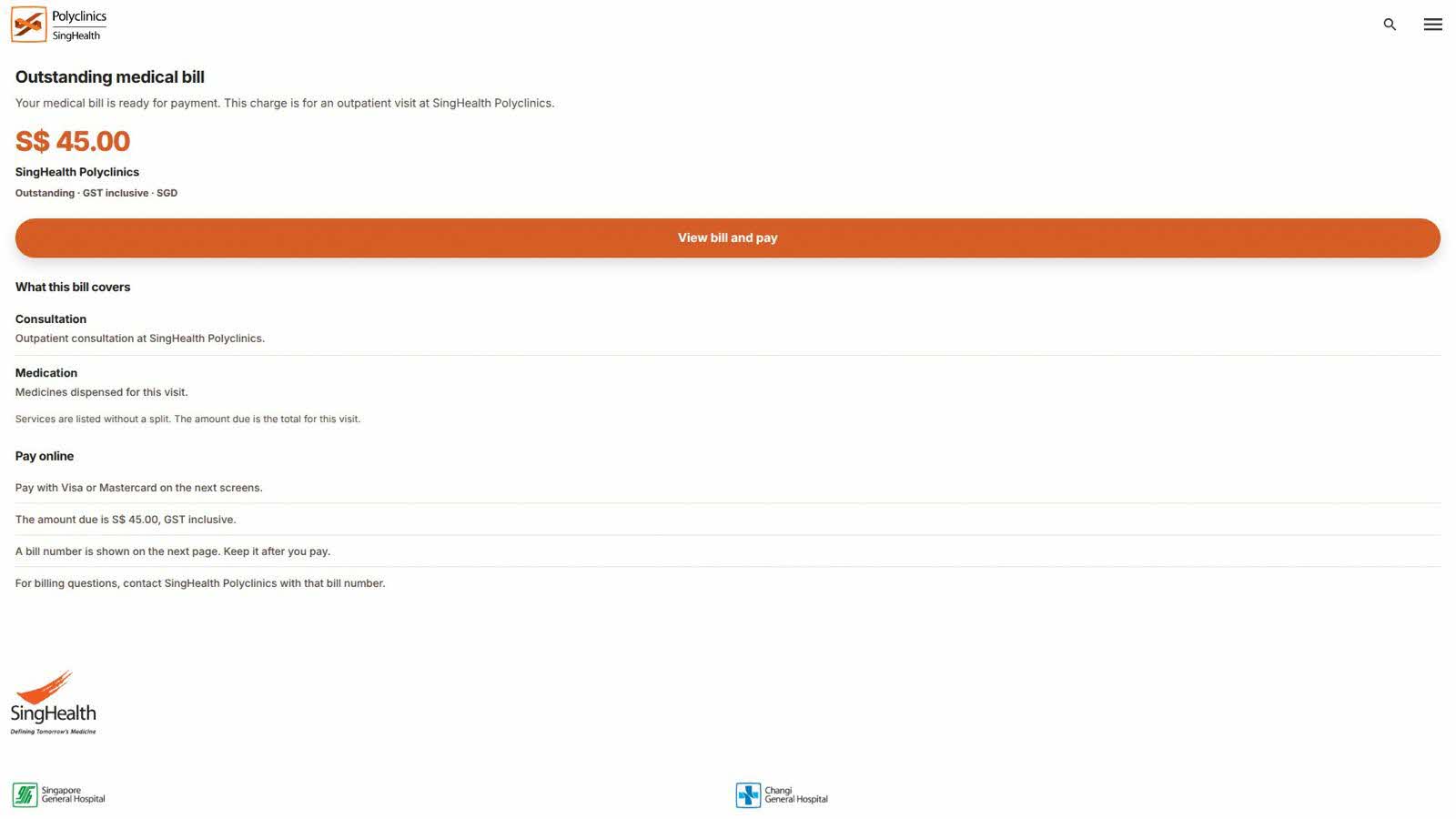
Tap to zoom
Advisory: Beware of Fake SingHealth and Polyclinic Websites
polyclinic-a.top
The Singapore Police Force (SPF) has observed a trend of phishing scams involving fake websites impersonating SingHealth and polyclinics. These scam sites, such as polyclinic-a.top, aim to trick you into revealing your personal or financial information.
Here’s how to recognise these scams:
- Suspicious Website Addresses: Always check the website URL carefully. Official SingHealth or polyclinic websites will have legitimate domain names (e.g., ending with
.gov.sgor official.sgdomains), not unusual ones likepolyclinic-a.top. - Unsolicited Requests for Information: Be cautious of unexpected messages (SMS, WhatsApp, email) that direct you to websites asking for your personal details (like NRIC, banking details, or SingPass login) for health services.
If you encounter such a scam or believe you may have fallen victim:
- Do not provide any personal or financial information. If you have already done so, immediately change your passwords for any compromised accounts.
- Monitor your bank and credit card statements for any unauthorised transactions and report them to your bank.
- Tell the authorities immediately. Report the incident to the police at www.police.gov.sg/iwitness or call 999.
- Tell your family and friends about these scams to protect them.
Remember, you can ACT against scams:
- Adding security features like two-factor authentication (2FA) for your online accounts.
- Checking for scam signs and verifying with official sources like SingHealth's official website or calling their official helplines.
- Telling authorities, family and friends about scams.
Unsure if something is a scam? Check by calling the 24/7 ScamShield Helpline at 1799.