Back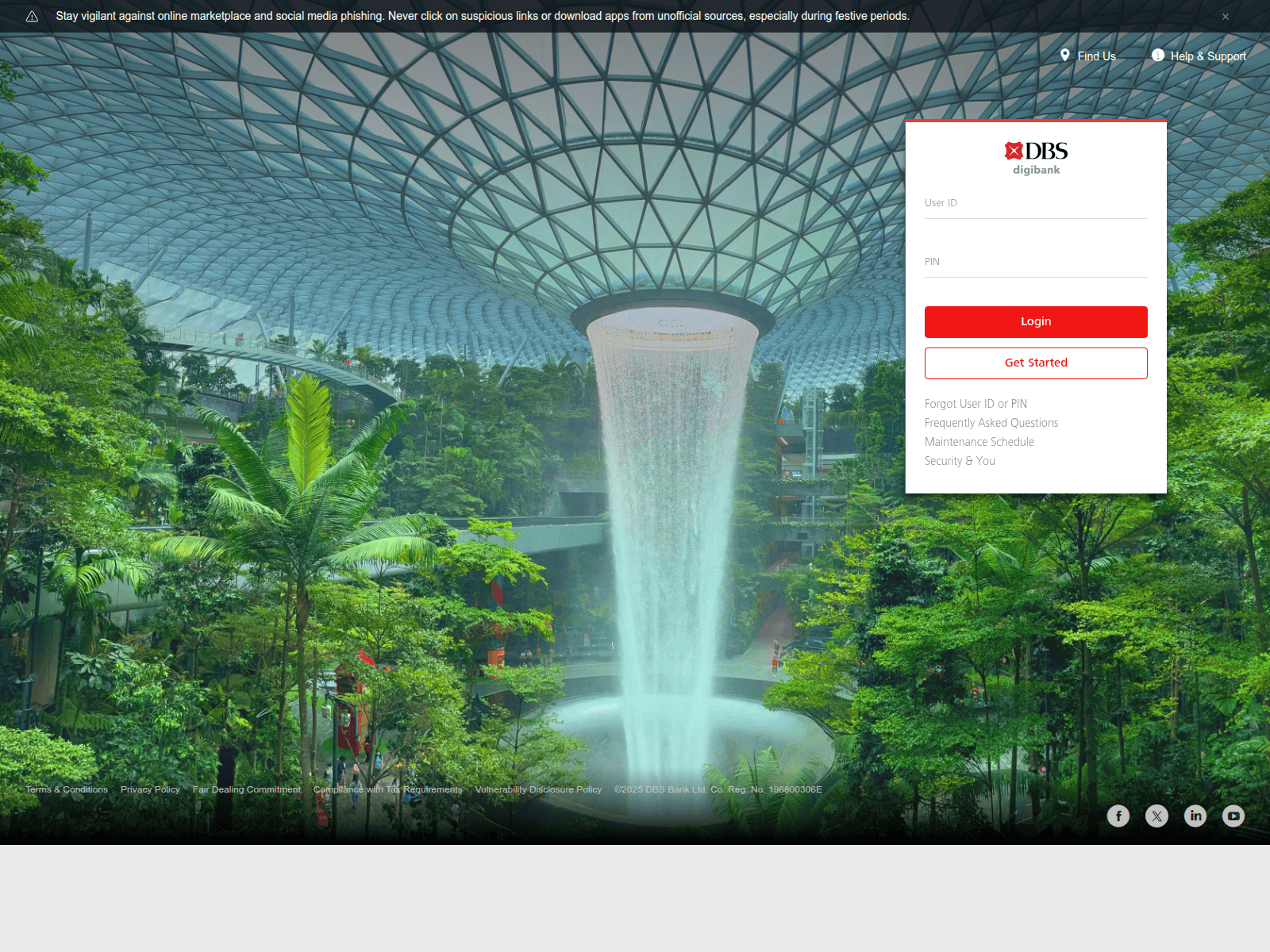
Tap to zoom
Advisory: Watch Out for Fake DBS Websites and Banking Phishing Scams
dkbgroop.wpenginepowered.com
The Singapore Police Force (SPF) has observed a trend of fake websites impersonating DBS Bank. These malicious sites are designed to trick you into revealing your banking login credentials and personal information.
How to recognise this scam:
- Always scrutinise the website address. Official DBS websites will always begin with
dbs.comorposb.com. Scammers use suspicious or misspelled URLs (e.g.,dkbgroop.wpenginepowered.com) to look convincing. - Be wary of unsolicited messages (SMS, email) or pop-ups asking you to click a link to "verify," "update," or "secure" your banking account.
What to do if you encounter or are affected by this scam:
If you clicked on a suspicious link and entered your banking details, please take immediate action:
- Contact DBS/POSB immediately via the official helpline (found on the back of your bank card or DBS official website) to secure your account.
- Change your banking passwords and enable two-factor authentication (2FA) for added security.
- Report the incident to the Police.
Remember, you can ACT against scams:
- Add security features like 2FA for your banking accounts.
- Check for scam signs, especially suspicious URLs and unexpected requests for personal details. Always verify information with official sources.
- Tell authorities, family and friends about scams.
Unsure if something is a scam? Check by calling the 24/7 ScamShield Helpline at 1799.